

Law firms
Every client and matter gets a permanent number that links documents and time entries. Partners see the team’s work and hours on every matter.
Partner oversight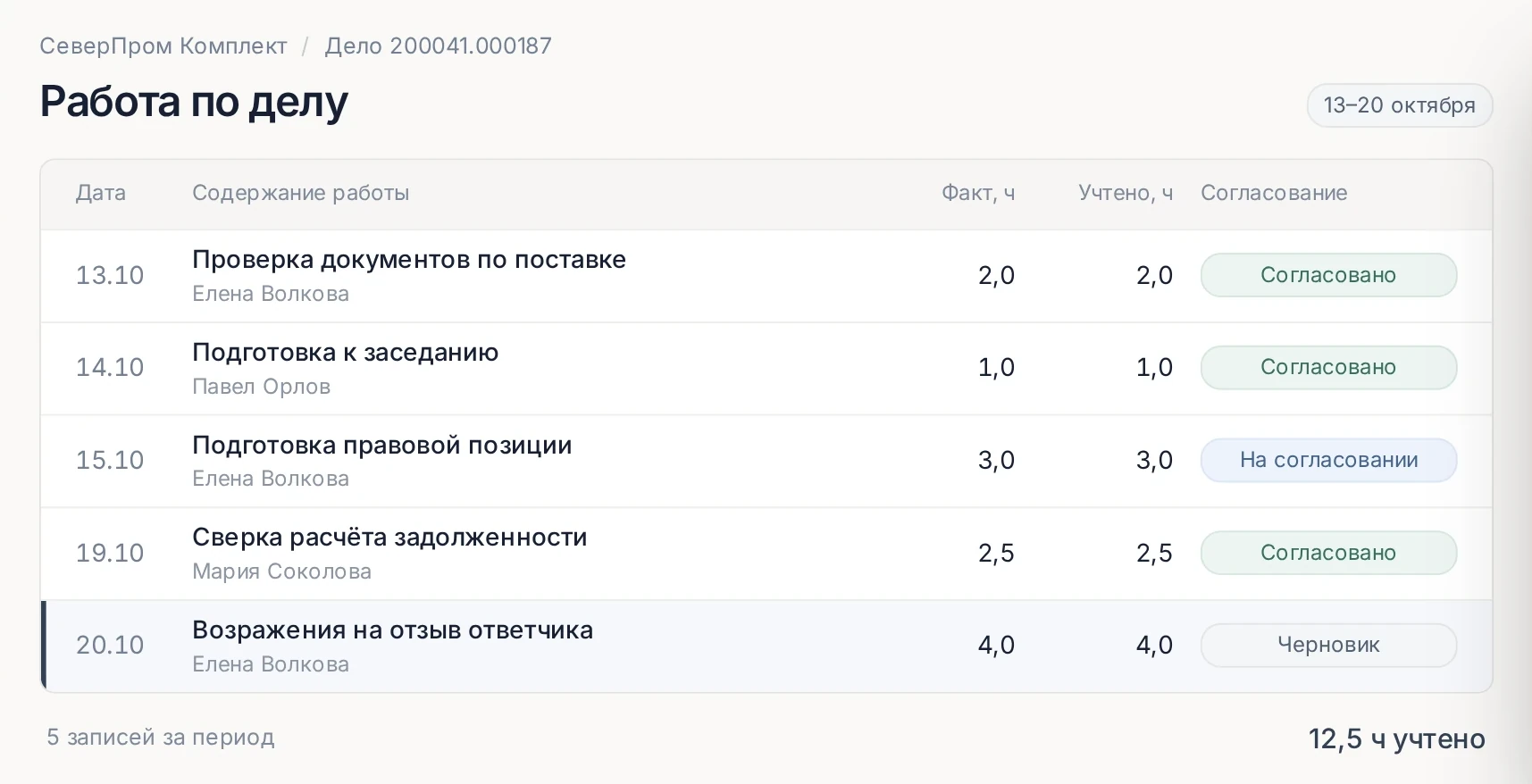
Until the end of 2026 — MyLex onboarding on special terms
Learn morePlatform / Matter Management
Documents, chronology, tasks, hearings and the team live in the matter card. A lawyer opens it and sees the next step. A partner sees progress and time spent without reports or meetings.
Book a demo
Every client and matter gets a permanent number that links documents and time entries. Partners see the team’s work and hours on every matter.
Partner oversightThe company’s litigation, corporate and contract projects with owners, deadlines and progress. Invite outside counsel to the relevant materials only.
Tasks and deadlines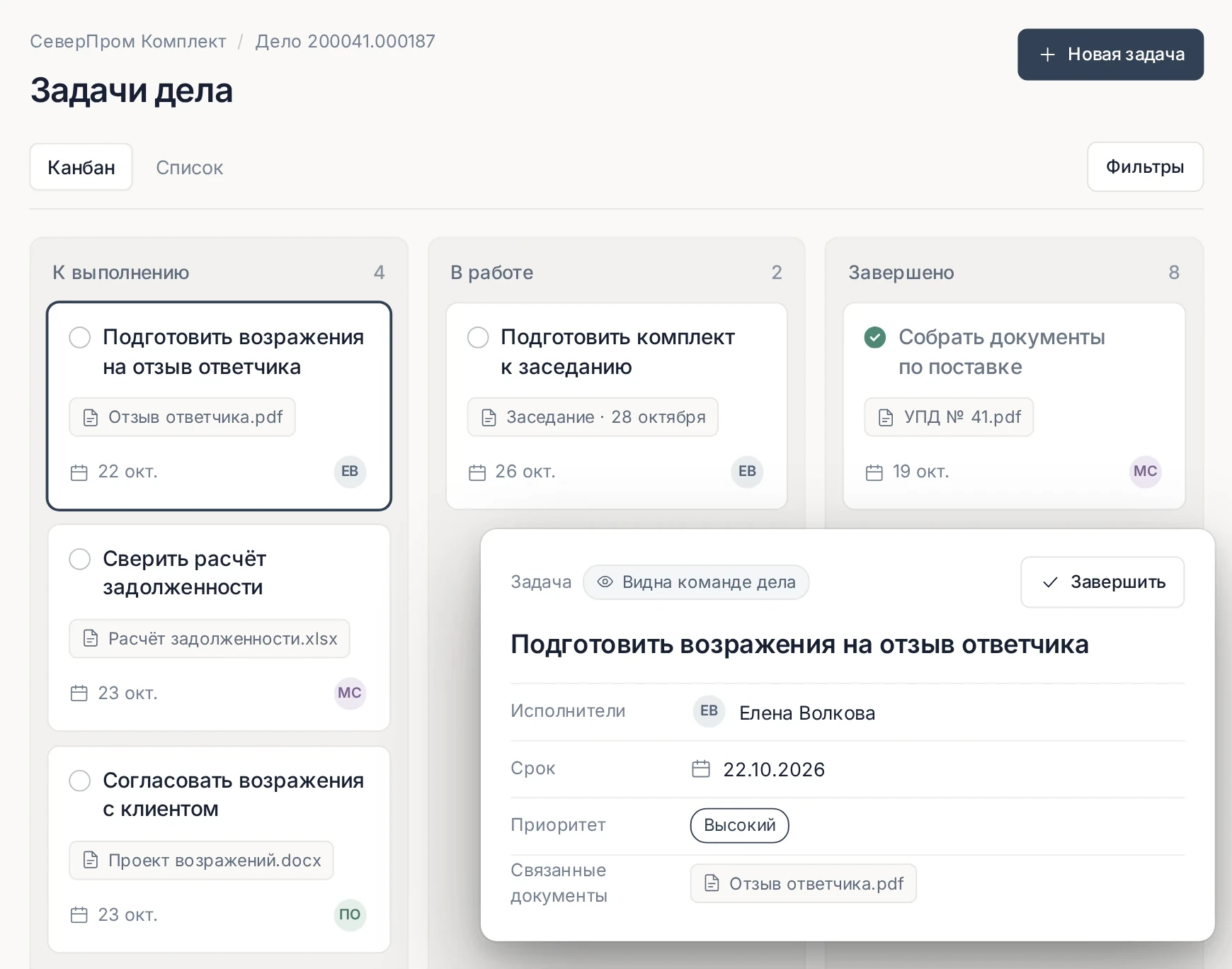
The chronology brings together events from pre-trial correspondence to the court’s decision. Each has a date and a supporting document, so a new lawyer gets up to speed without a briefing from colleagues.
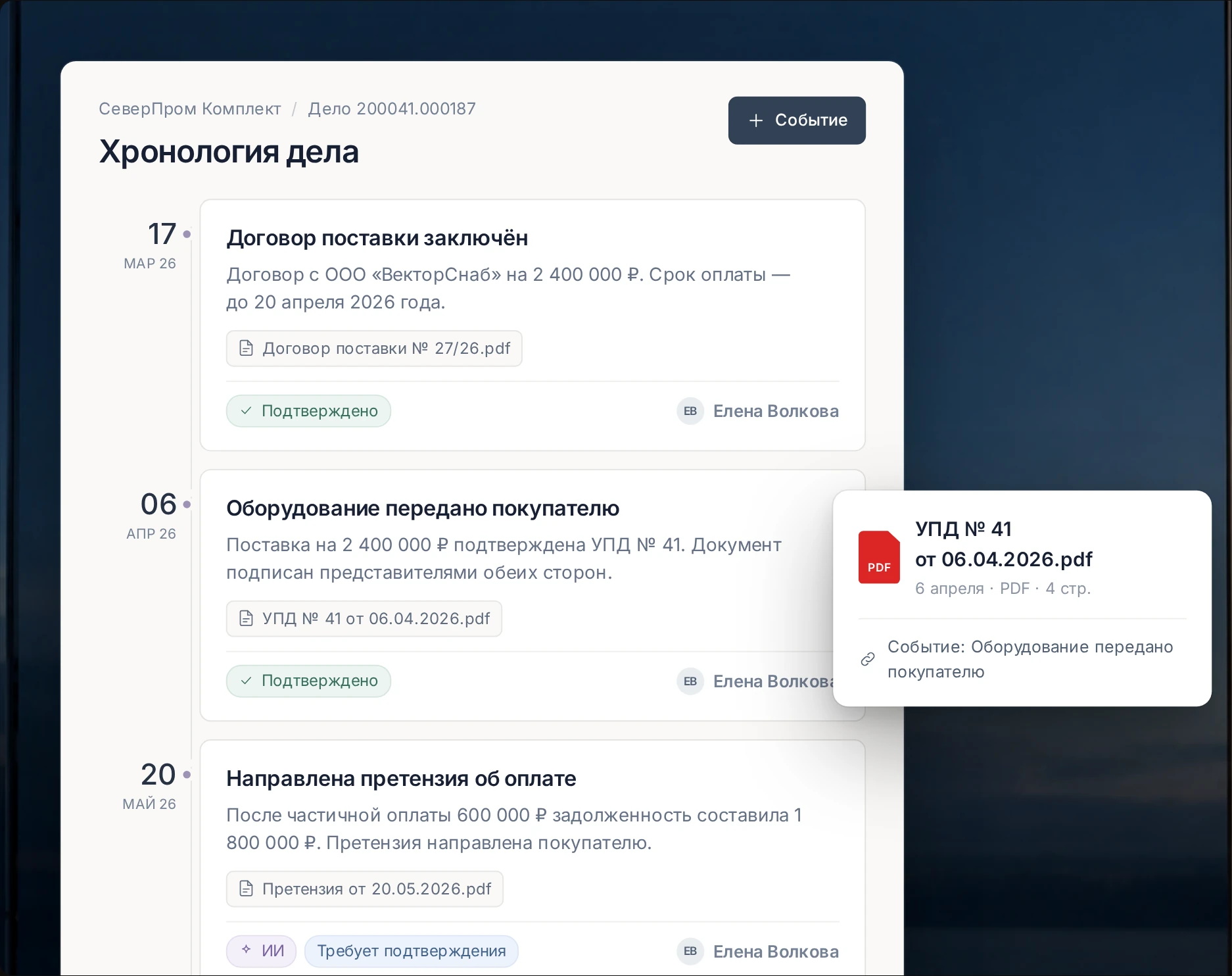
Upload a document or paste the text of a letter. AI extracts dates and events and attaches the source file.
“AI”, “Manual”, “From client” and “From court” labels show where each event came from. Filter the timeline by them.
Entries added by AI stay greyed out until a lawyer or partner reviews them.
Find an event by text, jump to a month or export the chronology to DOCX or PDF.
Break the matter into stages and assign tasks with owners and deadlines. The whole team sees the status of every task, so a matter update no longer needs a meeting.
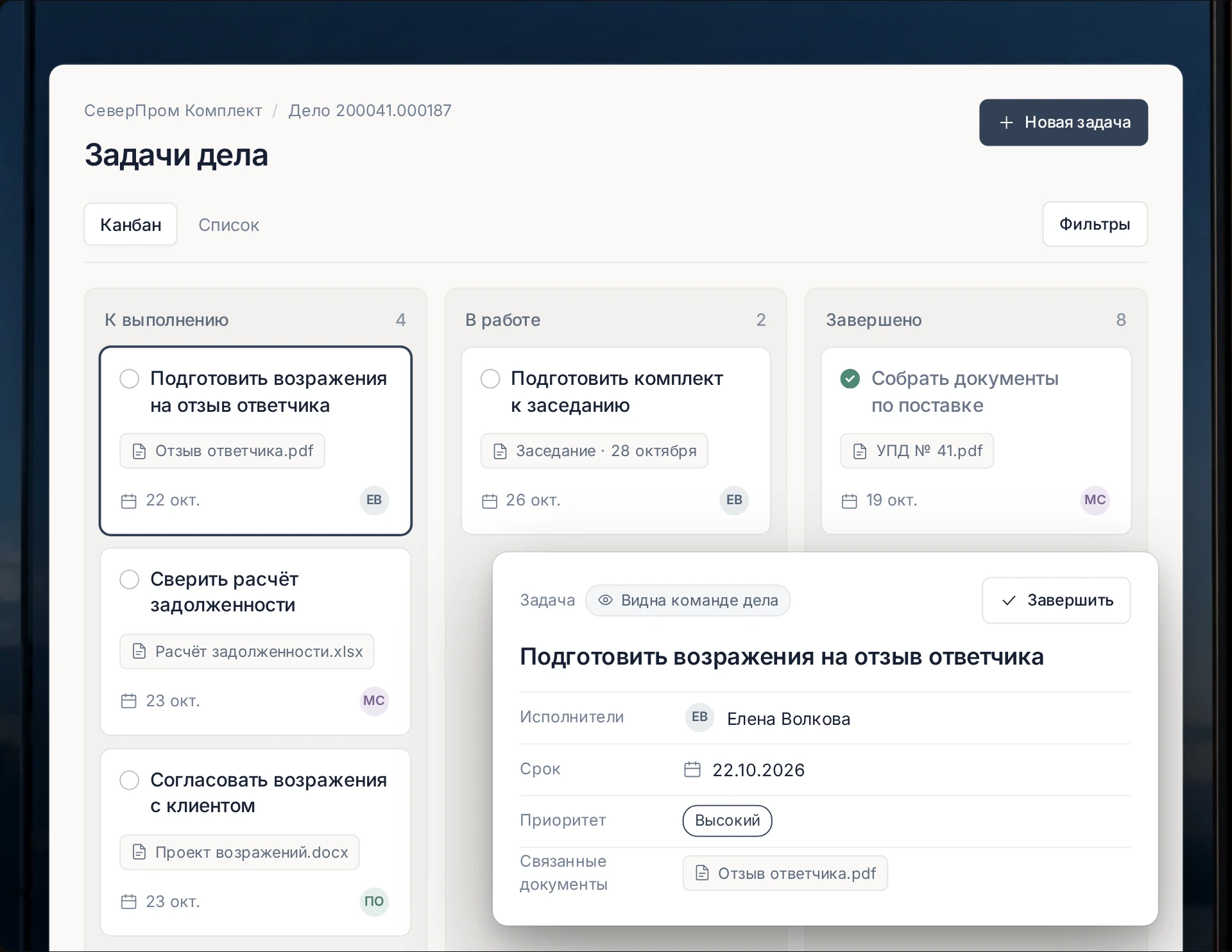
Evidence gathering, legal position, court proceedings — each stage has its own tasks.
Priority, reminders and related documents sit right in the task.
Your own tasks in a separate list, your colleagues’ work on the matter right next to it.
A progress bar shows how much is done and how much is left.
Materials live in the matter, not in email and personal folders. Every document has versions, an author and tags, and can be linked to an event, task or hearing.
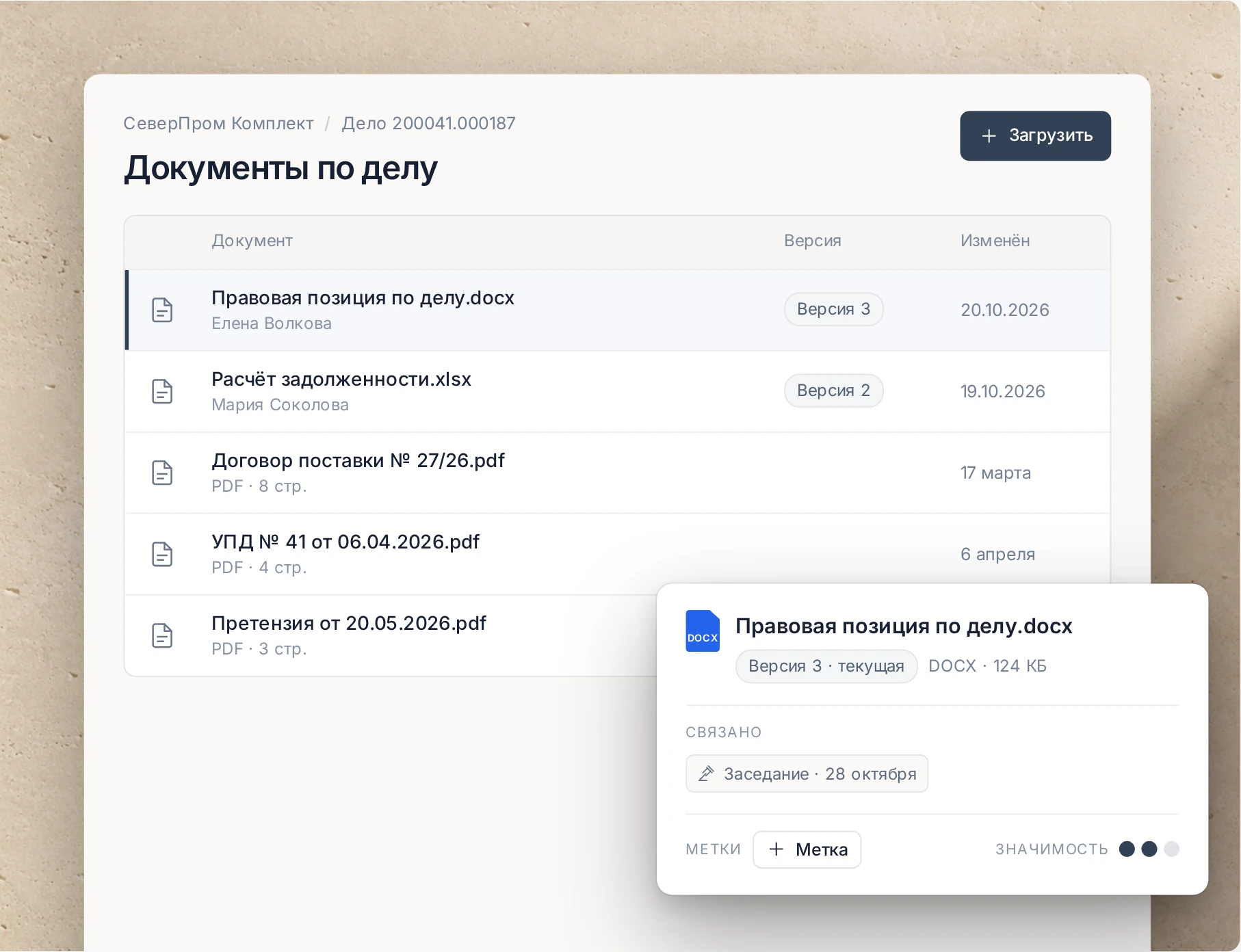
See who changed a document and when; previous versions are kept.
Firm tags and key-document flags help you find what you need fast.
Share a folder or file with a client via a link, for viewing or editing. Files you receive stay separate from the matter documents until a lawyer moves them.
The AI Assistant answers with the matter documents in mind.
AI AssistantThe court, materials, tasks and notes sit in the hearing card. The hearing appears in the team calendar automatically, so nobody hears about it on the last day.
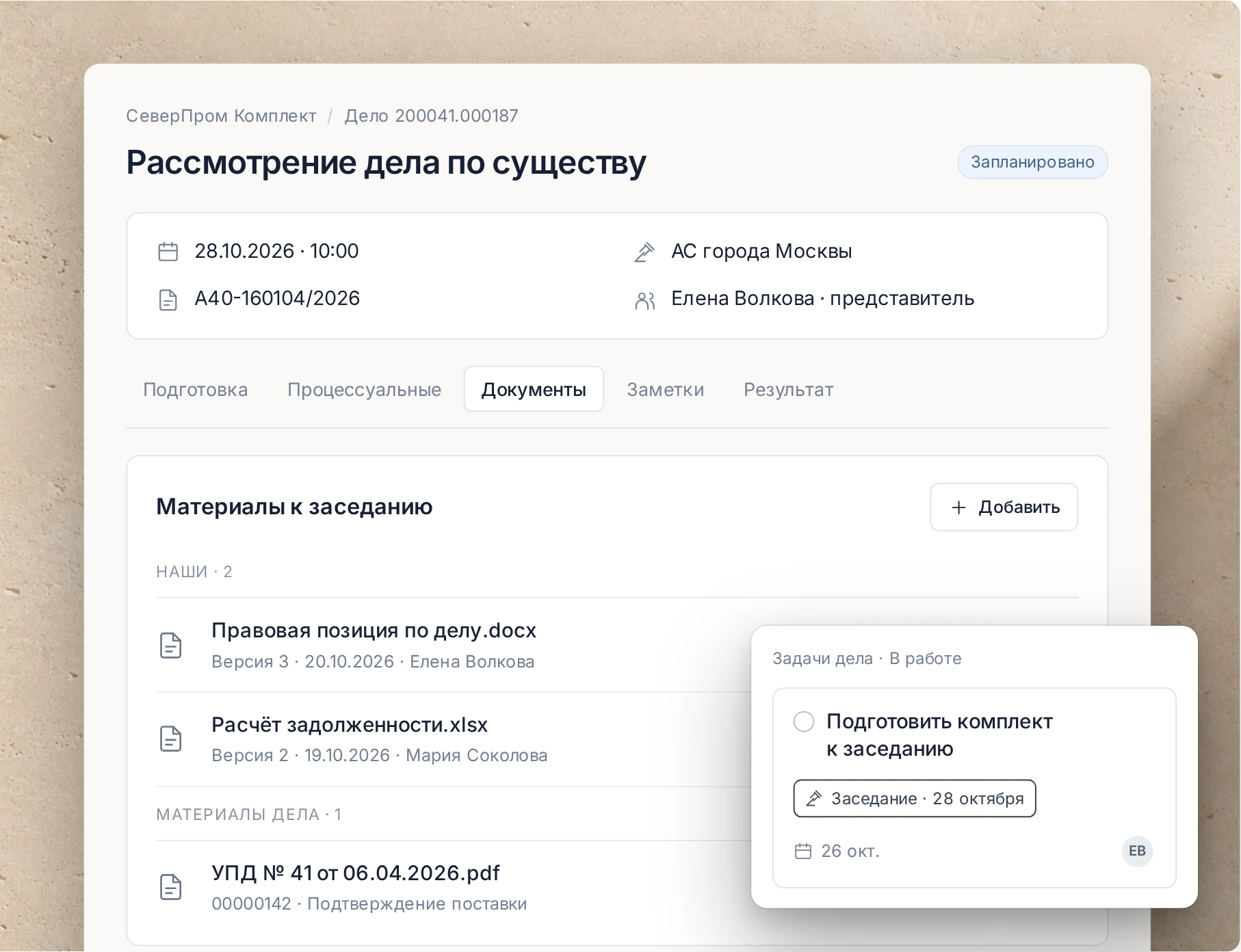
Court from the directory, date, participants, documents by category.
Hearing tasks sync with the matter roadmap.
Hearings, deadlines and meetings in a shared calendar with reminders.
Partners see tasks and deadlines, the activity history and the team’s time entries. Reviewing work and approving hours needs no separate reports.
Partner, lawyer, client, outside counsel; a matter can have several partners.
Who uploaded, changed or completed what, and when. The log cannot be edited.
Partners see and approve the whole team’s hours; lawyers see only their own.
Clients only get access to materials shared with them and to approved time.
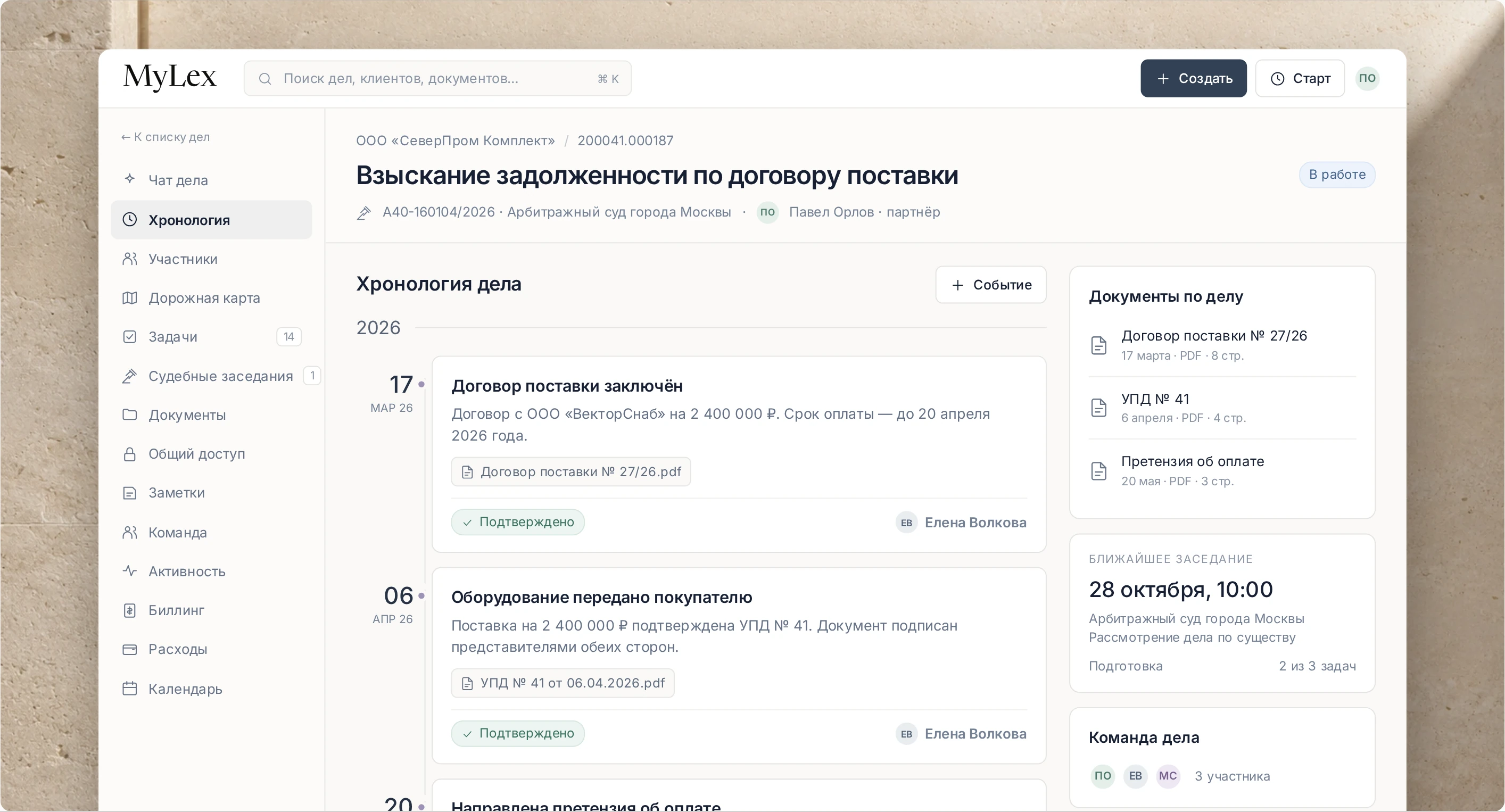
The partner decides who works on the matter and what each member can access.
MyLex anonymizes the request before it reaches the model: names, company details and other personal data are replaced with placeholders.
Personal data is stored and processed in Russia, in a Selectel data centre, in line with Federal Law 152-FZ “On Personal Data”.
Data is encrypted in transit and at rest, and backups are made regularly. The log shows who did what with the matter materials, and when.
See how a matter runs in MyLex
Book a demo